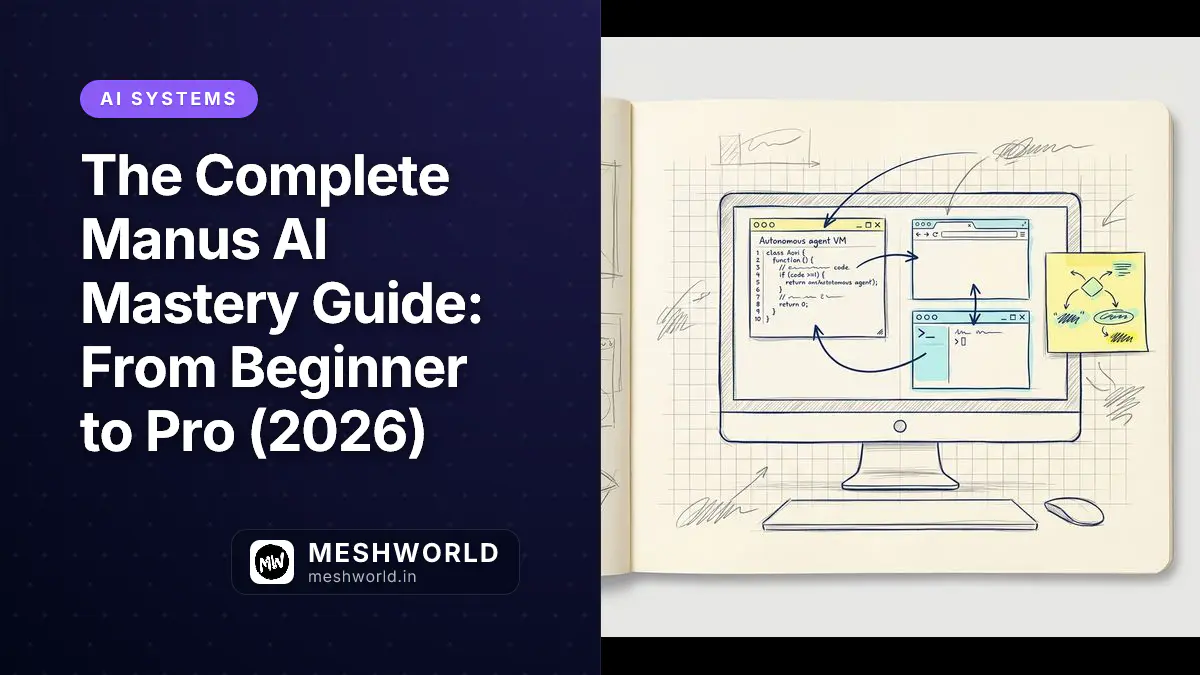
Manus AI is a fully autonomous agent that runs inside its own sandboxed virtual machine with a real browser, terminal, and file system. Instead of just answering questions like ChatGPT or Claude, Manus takes your high-level prompt, builds a multi-step plan, and executes it on its own. It writes and runs code, scrapes websites, fills out forms, and delivers complete files—all without you clicking a button. This guide covers every mode, integration, pricing tier, and gotcha you need to master the platform in 2026.
Key Takeaways
- Manus AI is a fully autonomous agent that runs inside a sandboxed virtual machine with a real browser, terminal, and file system.
- The platform offers 6 specialized modes, including Chat, Agent, Wide Research, Slide Creation, Design View, and a local Desktop Agent.
- Standard pricing starts at $20/month for 4,000 credits, with daily free refreshes of 300 credits for testing.
- Common failure modes include credit depletion, task loops, and site blocking, which can be mitigated by breaking down prompts and using parallel tasks.
What Is Manus AI?
Manus AI goes beyond traditional conversational AI. While ChatGPT and Claude respond to your questions in a chat interface, Manus operates inside a sandboxed virtual machine with a real browser, terminal, and file system. It browses websites, writes and executes code, analyzes data, creates documents, builds web apps, and delivers finished results—all from a single prompt.
The key difference is autonomy. When you give Manus a task, it doesn’t wait for you to guide each step. It generates a plan, breaks it into sub-steps, executes each one, checks outputs for errors, corrects mistakes, and keeps going until the task is done. You can assign a complex research project, walk away, and come back to a finished deliverable.
The Architecture Behind Manus AI
Manus AI runs on multi-layered architecture:
- Planning Layer: Manus generates a structured plan with dependencies, timelines, and resource requirements before executing. You can review and modify the approach before it starts.
- Execution Layer: A real Chromium browser for web navigation, a terminal for code execution, and a sandboxed file system for document creation. This isn’t simulated—it’s genuine browser automation and code execution.
- Verification Layer: The agent takes screenshots during browser navigation and uses vision models to verify actions completed correctly. This reduces (though doesn’t eliminate) the risk of clicking wrong buttons or navigating to incorrect pages.
- Memory Layer: Manus doesn’t offer persistent long-term memory across sessions, but it maintains context within individual task executions and can reference files and outputs created during the current session.

Key Capabilities in 2026
Manus AI supports these core capabilities:
- Autonomous Web Research: Opens browser sessions, searches multiple search engines, reads and extracts content from websites, and synthesizes findings into structured documents.
- Code Writing and Execution: Writes Python, JavaScript, and shell scripts, then executes them in a disposable terminal environment. Useful for data processing, web scraping, API integrations, and chart generation.
- File Management: Creates, edits, and organizes files including Markdown documents, CSV/Excel spreadsheets, PDF reports, and HTML pages.
- Browser Automation: Fills out web forms, clicks buttons, navigates multi-page workflows, and takes screenshots for visual verification.
- Web App Building: Generates full-stack web applications with integrated backends, databases, authentication, and deployment capabilities.
- Presentation Creation: Generates professional slide decks from text prompts, exportable to Google Slides or PowerPoint.
- Design View: Built-in canvas with annotation tools, prompt-based image modifications, and image merging for marketing visuals.
- Desktop Agent (“My Computer”): Operates directly on your local machine to organize files, run applications, and automate local workflows with your approval.
Getting Started: The Beginner Phase
Step 1: Creating Your Account
Getting started is straightforward:
- Navigate to manus.im
- Sign up using your email address or Google account
- No credit card is required for the Free plan
- Upon registration, you receive 300 daily refresh credits that reset every 24 hours
The Free plan supports up to 5 concurrent tasks and gives you enough runway to thoroughly test the platform before committing to a paid subscription.
Step 2: Understanding the Credit System
Manus AI runs on credits. Every action—browsing a website, running code, analyzing a file—consumes them. Understanding this system is essential for budget management.
Credit Consumption Hierarchy:
- Event credits (expire when event ends)
- Daily refresh credits (300/day, expire in 24 hours)
- Monthly subscription credits (expire at end of billing cycle)
- Add-on purchased credits (never expire)
- Free credits (never expire)
Real-World Consumption Benchmarks:
- Data analysis/visualization (15 minutes):
200 credits ($1.00) - Website design & deployment (25 minutes):
360 credits ($1.80) - Complex app development (80 minutes):
900 credits ($4.50) - Research task in Quality Mode (20-30 minutes): 400-500 credits (~$2.00-$2.50)
Approximate consumption rate: 11-14 credits per minute depending on task complexity.
Step 3: Choosing the Right Mode
Manus AI has multiple modes, and picking the right one matters for both output quality and credit efficiency:
- Chat Mode — Fast Answers: Best for quick questions, summaries, and short tasks. Uses minimal credits. Use this when you need a fast response without full autonomous execution.
- Agent Mode — Full Autonomous Execution: Best for complex, multi-step tasks. Higher credit usage, but produces complete professional outputs. Manus plans, browses the web, writes code, creates files, and delivers finished results.
- Wide Research Mode: Best for complex, multi-source research simultaneously. Handles lead generation, dataset analysis, report drafting, and contact retrieval in parallel. Uses parallel sub-agents rather than sequential execution.
- Design View — AI Image Editing: Built-in canvas with annotation tools. Supports prompt-based image modifications and image merging. Create marketing visuals and thumbnails without external design software.
- Slide Creation Mode: Generate professional presentations from a single text prompt. Export directly to Google Slides or PowerPoint. Creates a 20-slide deck in under 2 minutes.
Step 4: Writing Effective Prompts
Your output is only as good as your input. Here are strategies for writing prompts that produce solid results:
- Be Specific and Detailed: Instead of “Research AI tools”, write “Research the top 5 AI tools for bloggers in 2026, compare pricing and features, and create a formatted comparison table with pros and cons for each tool.”
- Include Context and Constraints: Specify target audience, tone, format, length, and any constraints. Example: “Write a 1,500-word blog post about sustainable fashion trends in 2026, targeting millennials, using a conversational tone, and include at least 5 statistics with sources.”
- Define the Output Format: Manus can produce Markdown, CSV, Excel, PDF, HTML, and presentation formats. Always specify your preferred output format in the prompt.
- Set Boundaries: If you want the agent to avoid certain sources, topics, or approaches, state this explicitly. Example: “Do not use Wikipedia as a source. Focus on peer-reviewed journals and industry reports from 2024-2026.”
Step 5: Your First Task — A Beginner Exercise
Here’s a complete beginner task to walk through:
Task: “Research the current state of renewable energy adoption in Europe as of June 2026. Find the top 5 countries by percentage of renewable energy in their grid, create a comparison table with 2024 and 2026 data, and generate a 3-slide presentation summarizing the findings.”
Execution Steps:
- Select Agent Mode.
- Paste the prompt.
- Review the task plan that Manus generates.
- Click Execute and let Manus work.
- Manus will browse multiple sources, extract data, create the table, and generate the slides.
- Review the output and send follow-up messages to refine specific sections.
- Expected Timeline: 20-40 minutes
- Expected Credit Usage: 400-700 credits
Intermediate Mastery
Working with Integrations
Manus AI can connect with your existing tools and workflows. Supported integrations include:
- Google Drive: Read and write files directly to your Drive
- Gmail: Send emails, draft responses, and manage inbox tasks
- Notion: Create and update pages, databases, and wikis
- GitHub: Push code, create repositories, and manage issues
- Slack, WhatsApp, Telegram: Receive task updates and interact with Manus via messaging
Setting Up Integrations:
- Navigate to Settings > Integrations
- Select the service you want to connect
- Authenticate using OAuth (Manus never stores your passwords)
- Grant specific permissions based on your needs
- Test the connection with a simple task
Building Your First Web Application
Manus AI’s Web App Builder lets you create functional websites and applications without writing code. Here’s how to approach it:
Step 1: Define the Application Be specific about features, user flows, and design preferences. Example: “Build a task management app with user authentication, project categorization, due dates, and a clean minimalist design using React and Tailwind CSS.”
Step 2: Review the Generated Plan Manus will outline the tech stack, database schema, API endpoints, and UI components. Review and modify before execution.
Step 3: Iterative Development After the initial build, you can request modifications: “Add a dark mode toggle”, “Integrate Stripe for payments”, or “Add email notifications for overdue tasks”.
Step 4: Deployment Manus can deploy to its built-in hosting or export code for deployment elsewhere. Hosting costs apply based on traffic (free monthly allowance: $10 cloud + $1 AI + $1 API services).
Real-World Performance:
- Simple CRUD apps: ~45 minutes, high success rate
- E-commerce with payments: Partial success, manual fixes often needed
- Real-time collaboration: Struggles, requires significant human rework
Advanced Research Workflows
For deep, comprehensive research, Manus offers Wide Research Mode:
- When to Use Wide Research: Multi-source competitive analysis, market research requiring data from 10+ sources, academic literature reviews, and lead generation.
- Optimization Tips: Specify exact websites or domains to prioritize, request source citations for every claim, ask for confidence ratings on uncertain information, and request the agent to flag any information it couldn’t verify.
Data Analysis and Visualization
Manus can process data files and generate visualizations:
- Supported Operations: CSV/JSON transformations, statistical analysis (descriptive stats, correlations), chart generation (matplotlib, plotly), pivot table creation, data cleaning, and normalization.
- Best Practices: Upload clean, well-structured data files, specify the exact analysis you need, request multiple visualization types for comparison, and ask for interpretation of results rather than just raw numbers.
Advanced Techniques: The Pro Level
Multi-Agent Orchestration
Advanced users can run multiple tasks concurrently:
- Parallel Research Streams: Launch 3-5 research tasks simultaneously on different aspects of a topic. Manus will work on each in parallel, dramatically reducing total completion time. Combine outputs into a comprehensive final report.
- Pipeline Workflows:
- Task 1: Research and data collection
- Task 2: Analysis and visualization (triggered when Task 1 completes)
- Task 3: Report writing and presentation creation (triggered when Task 2 completes)
- Credit Management for Parallel Tasks: Each concurrent task consumes credits independently. Monitor your dashboard to avoid unexpected depletion. Use the Customizable plan ($40/month) for flexible credit allocation.
Customizing Agent Behavior
While Manus doesn’t offer full code-level customization, you can influence behavior through:
- System Prompts: Define your brand voice, writing style, and quality standards. Set default output formats and citation styles. Establish rules for handling uncertain information.
- Template Creation: Save frequently used prompt structures as templates. Create reusable research frameworks and build standard operating procedures for recurring tasks.
- Feedback Loops: After each task, provide specific feedback on what worked and what didn’t. Manus learns from your corrections within the session. Document successful approaches for future reference.
Building Production-Ready Applications
To move beyond prototypes:
- Code Export and Refinement: Export generated code to your local environment. Use Cursor, VS Code, or your preferred IDE for refinement. Implement proper testing, error handling, and security measures.
- Database and Backend Considerations: Manus-generated backends are suitable for MVPs and internal tools. For production systems, consider migrating to managed services (Supabase, Firebase, AWS). Implement proper authentication, authorization, and data validation.
- Security Best Practices: Never share production credentials with Manus. Review all generated code for security vulnerabilities. Implement proper input validation and sanitization. Use environment variables for sensitive configuration.
Integrating Manus into Business Workflows
- For Agencies and Consultants: Use Manus for client research and competitive analysis. Generate first-draft reports and presentations. Build client prototypes and MVPs rapidly. Track credit usage per client for accurate billing.
- For Startups: Rapid prototype validation (build and test in days, not weeks). Automated market research and trend monitoring. Content generation for marketing and SEO. Internal tool development for operations teams.
- For Enterprise Teams: The Team plan ($20/seat/month) offers shared credit pooling, SSO, usage analytics, and internal access control. Centralized management for user provisioning and permissions. No data training on organizational data.
Pricing Deep Dive and Plan Selection
Current Pricing Structure (June 2026)
| Plan | Monthly Price | Annual Price | Monthly Credits | Daily Refresh | Concurrent Tasks |
|---|---|---|---|---|---|
| Free | $0 | $0 | — | 300 credits | 5 |
| Standard | $20/mo | ~$16.60/mo | 4,000 | 300 credits | 20 |
| Customizable | $40/mo | ~$33.20/mo | 8,000 | 300 credits | 20 |
| Extended | $200/mo | ~$166/mo | 40,000 | 300 credits | 20 |
| Team | $20/seat/mo | ~$16.67/seat/mo | 4,000 per seat (pooled) | 300 credits | 20 per member |
Important Policies:
- Monthly subscription credits do not roll over; unused allocation expires at the end of each billing period.
- Daily refresh credits (300/day) expire after 24 hours.
- Only purchased add-on credits carry forward indefinitely.
- Annual billing saves 17% across all tiers.
Plan Selection Guide
- Choose Free if: You are testing the platform, need 1-2 simple tasks per day, or are evaluating whether autonomous agents fit your workflow.
- Choose Standard ($20/month) if: You are an individual professional with regular automation needs, need to build websites, create presentations, conduct research, and want full AI capabilities with moderate usage.
- Choose Customizable ($40/month) if: You use Manus daily for professional tasks, run multiple autonomous workflows per day, and need flexible credit allocation.
- Choose Extended ($200/month) if: You are an agency or consultant with multiple clients, need batch production capabilities, and require advanced data analytics integration.
- Choose Team ($20/seat/month) if: You need shared credit pooling across team members, require SSO and administrative controls, and need usage analytics and centralized billing.
Hidden Costs to Consider
- Website Hosting Overages:
- Landing pages (1k-5k visits): ~$7/month
- Marketing sites (10k-50k visits): ~$24/month
- Content sites (50k-200k visits): ~$128/month
- E-commerce sites (100k-300k visits): ~$248/month
- Add-On Credit Packs: Available for purchase when you exceed your monthly allocation (pricing not publicly disclosed).
- Professional Training: Training courses start at $1,630 for online programs.
Troubleshooting and Best Practices
Common Issues and Solutions
- Issue: Task Takes Longer Than Expected
- Solution: Break complex tasks into smaller sub-tasks. Use Chat Mode for quick clarifications instead of full Agent Mode.
- Issue: Credits Deplete Faster Than Anticipated
- Solution: Monitor the dashboard during task execution. Start with simpler tasks to establish baseline consumption. Use daily refresh credits for testing before committing monthly credits.
- Issue: Output Quality Is Inconsistent
- Solution: Provide more detailed prompts with specific constraints. Request the agent to show its work and reasoning. Use follow-up messages to refine specific sections.
- Issue: Browser Automation Fails
- Solution: Some websites block automated browsing. Try alternative sources or request manual navigation instructions. Use screenshots to verify what the agent is seeing.
Security and Privacy Best Practices
- Never share production credentials with Manus.
- Review all generated code before deployment.
- Use the Team plan for enterprise data (no training on organizational data).
- Enable two-factor authentication on your Manus account.
- Regularly audit integrations and revoke unused connections.
- Be cautious with sensitive data—Manus operates in a cloud environment.
Performance Optimization
- For Faster Task Completion: Use Chat Mode for simple queries, limit concurrent tasks to avoid resource contention, provide clear prompts, and pre-upload files rather than asking the agent to find them.
- For Better Output Quality: Include examples of desired output format, specify sources to prioritize or avoid, request multiple options when appropriate, and use the “Review and Refine” workflow for critical deliverables.
The Future of Manus AI
Manus AI continues to evolve rapidly in 2026. With Meta’s backing, expect:
- Enhanced Memory: Persistent long-term memory across sessions.
- Deeper Integrations: Native connections to more enterprise tools.
- Improved Code Quality: Better handling of complex applications and real-time systems.
- Team Collaboration Features: Shared workspaces and collaborative editing.
- Mobile Optimization: Improved mobile app experience for on-the-go task management.
- Enterprise Compliance: SOC 2, GDPR, and HIPAA certifications for regulated industries.
Summary
In this guide, you learned:
- What Manus AI is and how its planning, execution, and verification architecture works.
- How to get started with a Free account, understand credit benchmarks, and write specific prompts.
- How to connect integrations, build web applications, and run parallel Wide Research streams.
- The 2026 pricing structure and how to troubleshoot common execution errors.
Frequently Asked Questions
Is Manus AI safe to use with sensitive data?
Yes, but be careful. While the platform uses encrypted connections, execution happens in a cloud environment. Don’t upload production API keys, passwords, or highly confidential customer databases. Use the Team plan if you need assurances that your data won’t be used for model training.
What happens when I run out of credits?
If you run out of credits, your active tasks pause. You can wait for your daily refresh credits (300) to reset, wait for your monthly billing cycle to renew, or buy add-on credit packs from your dashboard.
Can Manus AI build mobile apps?
Not natively as a one-click deployment. The Web App Builder is designed for web applications. But Manus can write Dart/Flutter or React Native code, organize it into folders, and export it for you to compile locally.
What to Read Next
- 15 Real-World Manus AI Use Cases — See how professionals deploy Manus for market research, prototyping, and lead generation.
- Manus AI Alternatives: Complete 2026 Comparison — Compare Manus against 15 top alternatives to find the right fit for your budget and privacy needs.
- The Geopolitics of AI Agents: Inside the Blocked $2B Meta-Manus AI Deal — Analyze the April 2026 Chinese regulatory block and the Tencent-backed buyback consortium.