

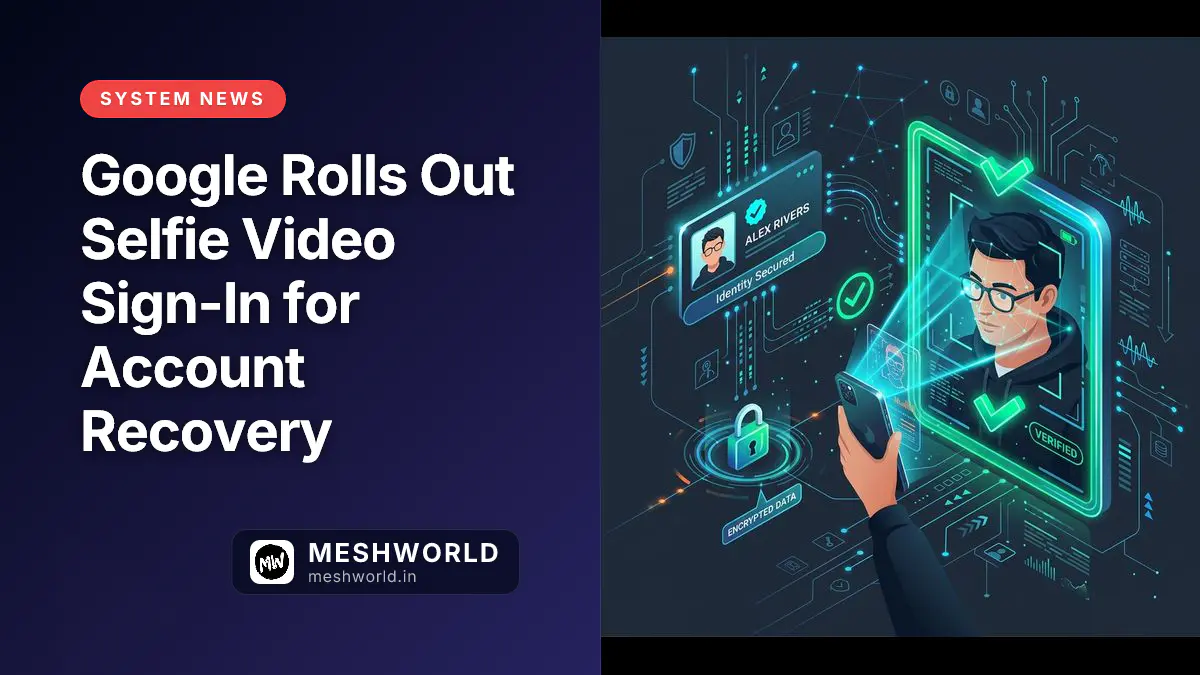
Google just added a new way to prove you’re you — no password, no phone, no security key required. On July 23, 2026, Google officially launched selfie video verification for personal Google Accounts: a short, guided video of your face that acts as a backup identity check when you’re locked out.
It’s not a replacement for passkeys or 2FA. It’s a recovery method — one more option when your usual device isn’t around.
Key Takeaways
- Google's new selfie video feature lets you verify identity with a short guided face video — no password or phone needed.
- Setup requires an active sign-in; you can't add it while locked out. Record guided head movements once, then re-record later if your appearance changes.
- Videos are encrypted at rest, deletable anytime, and used only for sign-in by default. AI-training opt-in is off by default.
- Not available for Google Workspace, child accounts, or Advanced Protection Program enrollees. Rollout is gradual by region.
- Desktop users without a webcam can scan a QR code to complete verification on their phone.
- Joins passkeys, recovery contacts, 2FA, and security keys in Google's layered account recovery stack.
What Is Google’s Selfie Video Verification?
Google’s selfie video verification is a new account recovery mechanism that asks users to record a brief video performing guided facial gestures to confirm liveness and account ownership during lockout scenarios. Google stores this encrypted video on its servers and later compares a fresh recording against your saved profile to grant account recovery access.
Think of it as a backup biometric factor. You set it up once while you have access to your account. Later, if you’re locked out — lost phone, broken authenticator app, traveling without your security key — you record another short video and Google matches the two.
How to Set Up Your Selfie Video
Setting up Google’s selfie video verification requires an active signed-in session on a smartphone or browser with camera access to complete the guided movement calibration. You cannot initialize or record your baseline selfie video during an active account lockout.
You must be signed in to add a selfie video:
- Go to Google Account → Security & sign-in → Selfie video
- Tap Continue on the “Add selfie for sign-in” screen
- Grant camera permission, then follow the on-screen prompts: turn your head left, right, up, down — a few seconds total
- Save. Done.
Record in good lighting, facing the camera straight on. Remove sunglasses, hats, or masks. If your look changes significantly later (surgery, major hairstyle change, etc.), re-record from the same settings page.
How It Works When You’re Locked Out
When you’re trying to recover a locked Google account, selfie video authentication records a new live video, runs anti-spoofing checks to make sure it’s not a photo or a deepfake, and matches facial vectors against your stored baseline. Once verified, Google grants you immediate access.
- On the sign-in or recovery screen, choose “Verify with selfie video”
- Record a fresh short video following the same guided movements
- Google’s anti-spoofing checks confirm liveness (not a photo, not a deepfake)
- The new video is matched against your saved one
- Match confirmed → you’re in
If your computer lacks a camera, Google shows a QR code. Scan it with your phone to complete the selfie video on a device that has one.
Privacy & Security: What Google Promises
Google encrypts selfie video data at rest on secure servers, restricts default usage strictly to identity recovery, and gives you full control to delete your saved video anytime. AI model training opt-ins are turned off by default, and biometric retention follows strict privacy safeguards.
| Aspect | Detail |
|---|---|
| Storage encryption | Encrypted at rest on Google’s servers |
| Deletion | You can delete your saved video anytime from Account settings |
| Default usage | Sign-in / recovery only |
| AI training opt-in | Off by default. You can allow Google to use the video to improve facial recognition / age estimation models |
| Retention after deletion | May be retained briefly for security/fraud prevention, or longer if legally required |
| Anti-spoofing | Multiple layers detect photos, recorded videos, deepfakes, and suspicious login patterns |
If you’re enrolled in Google’s Advanced Protection Program (high-security tier for journalists, activists, etc.), selfie video is not available. APP requires hardware security keys — biometrics alone don’t meet that threat model.
Who Can Use It (and Who Can’t)?
Google selfie video sign-in is available globally for personal consumer Google Accounts, but is intentionally disabled for Google Workspace, managed child accounts, and Advanced Protection Program enrollees. High-security profiles still require physical hardware keys for authentication.
✅ Available for:
- Personal Google Accounts (consumer Gmail, YouTube, Photos, etc.)
- Most countries (gradual rollout)
❌ Not available for:
- Google Workspace accounts (business/edu)
- Child accounts (Family Link supervised)
- Advanced Protection Program accounts
Where It Fits in Google’s Security Stack
Selfie video verification functions as a secondary recovery layer designed to complement primary passwordless passkeys, multi-factor hardware keys, and recovery emails during device loss or travel emergencies. It works in tandem with our qBittorrent Safety Guide principles regarding digital identity defense.
Selfie video is a recovery-layer method. It doesn’t replace:
- Passkeys — primary passwordless sign-in (biometric/PIN on device)
- 2-Step Verification — TOTP, prompts, SMS
- Security keys — hardware FIDO2 keys (YubiKey, Titan, etc.)
- Recovery contacts — trusted people who can vouch for you
Google’s guidance: set up multiple recovery methods. No single factor is foolproof.
Quick Setup Checklist
Completing the Google selfie video setup checklist requires verifying your camera permissions, environmental lighting, and account status before starting the biometric registration flow. Follow these verification items for smooth onboarding:
- Signed in to your Google Account
- Camera permission granted to browser/device
- Well-lit, plain background
- No glasses, hats, masks, or other faces in frame
- Chrome updated (if camera shows “unavailable”)
- Wi-Fi or mobile data connected
Summary
Google’s selfie video sign-in adds a biometric recovery option for personal accounts — encrypted, deletable, opt-in for AI training, and guarded against spoofing. It’s not for Workspace, kids, or Advanced Protection users. Set it up before you need it, and keep your other recovery methods (passkeys, security keys, recovery email/phone) current too.
Frequently Asked Questions
Can I add a selfie video while I’m locked out of my account?
No, you can’t. You must be signed in to set it up. Add it now as a precaution before you ever need it.
What if I change my appearance — glasses, beard, haircut, surgery?
Re-record your selfie video from the same settings page. Google recommends updating it after significant appearance changes to ensure reliable matching.
Does Google use my selfie video for advertising?
No, Google does not use selfie videos for advertising. By default it’s used only for sign-in verification. The AI-training opt-in is separate and off by default.
Can I use this on a work or school Google account?
No, you cannot use this on work or school accounts. Google Workspace accounts (business/education) don’t have access to this feature.
What happens if someone forces me to record a video at gunpoint?
The liveness checks require voluntary, guided head movements. Coercion scenarios are a known limitation of any biometric factor — this is why Google recommends multiple recovery methods, including hardware security keys for high-risk users.
Is this available worldwide?
Rollout is gradual and availability varies by country and account type. Check g.co/signin-selfie to see if your account is eligible.
What to Read Next
- qBittorrent Safety Guide: Complete Security & Privacy Protocol — Complete operational privacy and identity security guide by darsh
- Passkeys Cheat Sheet: Setup, Sync & Hardware Keys — The primary passwordless sign-in method Google wants you to use
- How to Verify File Integrity with Checksums & GPG — Cryptographic verification skills that complement account security
Related Articles
Deepen your understanding with these curated continuations.
Piracy in 2026: Why Fragmentation Keeps Torrent Traffic Alive
Streaming fragmentation drives torrent demand more than price. Legal alternatives exist but have regional gaps. Enforcement targets operators, not casual users. Here's the actual landscape.


10 Best Torrenting Sites of 2026: Privacy, Speed, and Safety Ranked
An informational look at the 10 most visited torrenting sites of 2026, ranked by traffic, moderation quality, and privacy risk, with VPN safety recommendations.

Private Search Engines that Do Not Track
A practical 2026 guide to privacy-focused search engines that reduce tracking, plus what each option is actually good at.